Roymall Newsletter Subscription Form
Take 20% off your order now - Get early access to deals and sales
Home>mall>Toys Hobbies & Robot

NX3 3D Контроллер полета Гироскоп Балансировка Для Самолетов С Фиксированным Крылом RC Самолет

4.31618
$19.99 /$24.39
  • *Name:

  • *Email:

  • *Phone:

  • *Quantity:

  • *Content:

  • Attachment:

    Supports JPG, JPEG, PNG, PDF, EXCEL, WORD, RAR, ZIP, 7z formats

$13.00 /$24.39
Shipping to: United States | Express delivery: 7-12 business days | Standard delivery: 15-25 business days

Гарантированно безопасная оплата

Бесплатный подарок
Бесплатный подарок с любой покупкой


Политика доставки
Бесплатная стандартная доставка для заказов свыше $9.9
Политика возврата
Возврат товаров принимается в течение 40 дней с момента получения товара. Персонализированные товары не подлежат возврату или обмену. Товары, купленные с электронной подарочной картой, подлежат только обмену; возврат средств не применяется.

Бесплатный подарок

Добро пожаловать в Roymall, ваш профессиональный сайт для покупки премиальных подарков из универмагов. Мы высоко ценим и благодарим вас за поддержку и хотим выразить нашу благодарность, добавив дополнительную порцию радости к вашим покупкам. Когда вы делаете покупки у нас, вы не только наслаждаетесь высококачественными продуктами, которые улучшают ваш образ жизни, но и получаете эксклюзивный бесплатный подарок с каждым заказом. Готовы исследовать нашу коллекцию и найти свои идеальные подарки? Просмотрите наш выбор премиальных товаров из универмагов, сделайте заказ и ожидайте получения вашего бесплатного подарка вместе с покупкой.

Политика доставки

Мы постараемся доставить товары вам после получения ваших заказов и убедимся, что они прибывают безопасно. Детали доставки будут указаны в вашем письме с подтверждением.В большинстве случаев заказы обрабатываются в течение 2 дней. В особых случаях это может быть задержано следующим образом: Если вы размещаете заказ в субботу, воскресенье или праздничные дни, он будет задержан на 2 дня.Обычно требуется 5-7 рабочих дней (с понедельника по пятницу) без влияния задержек рейсов или других факторов окружающей среды.Поскольку наша служба доставки является всемирной, сроки доставки зависят от вашего местоположения, поэтому это может занять несколько дней, и, пожалуйста, наберитесь терпения, если вы находитесь в отдаленных районах или странах.

1. Политика возврата и обмена

Мы принимаем только товары, купленные на roymall.com. Если вы покупаете у наших местных дистрибьюторов или других розничных продавцов, вы не можете вернуть их нам. Товары окончательной распродажи или бесплатные подарки не подлежат возврату.Чтобы иметь право на возврат, ваш товар должен быть неиспользованным и в том же состоянии, в котором вы его получили. Он также должен быть в оригинальной упаковке.После получения инструкций по возврату от нас, пожалуйста, упакуйте возвращенные товары и отправьте ваш пакет в местное почтовое отделение или другую курьерскую службу.
Мы обработаем ваш возврат или обмен товара в течение 3-5 рабочих дней после его получения. Возврат будет обработан и зачислен автоматически на ваш исходный способ оплаты.Возврат или обмен невозможен, если товар был изготовлен на заказ, включая индивидуальный размер, цвет или печать.Если вам нужна дополнительная помощь, свяжитесь с нами. service@roymall.com или Whatsapp: +447549870296

2. Политика возврата

Вы получите полный возврат или 100% кредит магазина после получения и проверки возвращенного пакета. Возврат будет обработан и зачислен автоматически на ваш исходный способ оплаты. Обратите внимание, что стоимость доставки и любые пошлины или сборы не подлежат возврату. Дополнительные расходы на доставку не подлежат возврату после отправки пакета. Вы несете ответственность за оплату этих сборов, и мы не можем их отменить или вернуть, даже если заказ возвращен нам.После получения и подтверждения вашего возвращенного товара мы отправим вам электронное письмо, чтобы уведомить вас о том, что мы получили ваш возвращенный товар. Мы также уведомим вас об одобрении или отклонении вашего возврата.Если у вас возникли проблемы с процессом возврата, свяжитесь с нами. service@roymall.com или Whatsapp: +447549870296


NX3 PRO flight controller, Click Here


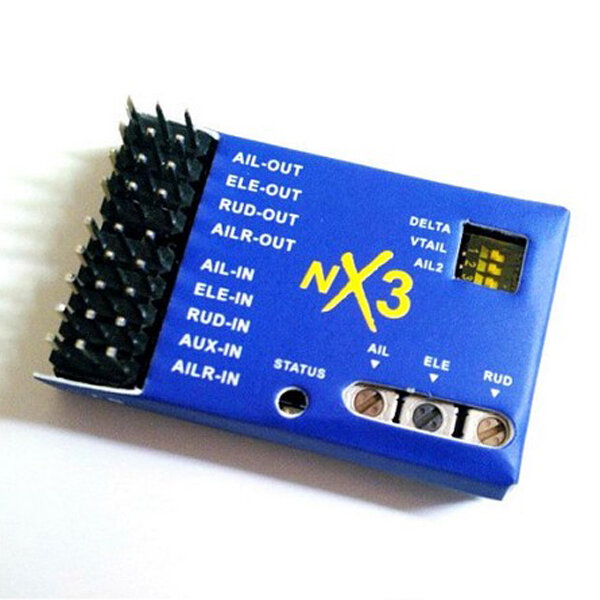
Description:Voltage Range: 5-6V DC.Dimensions: 40mm x 25mm.
Weight: 6.5g.


Feature:

1.Four Model Types supported: single aileron, dual ailerons , flapperons, for delta and vtail.
2.Three Flight Modes supported:a. Rate Mode ,Rate Mode for offset correction.b. Hold Mode ,HOLD mode for attitude holdc. Gyro Off Mode,transsmiter control the plane directly.3.Two kinds of Gain Control Method supported:Master Gain from the radio, Independent Axis Gain from the Variable resistor on the Controller board.4.Using superior algorithm, Bring a more comfortable and more sensitive sense of control .


VERY IMPORTANT :

The Controller has to re-learn center position after installation,or replacing a new radio system, or making a trimming(or Sub-Trim)change within the transmitter, otherwise the servos may move to one side automatically when switching to hold mode.To do this,just quickly flip the flight mode switch twice between rate mode and hold mode within 1 second!


Status LED Description:

LED OFF: NX3 in Gyro Off Mode.LED ON: NX3 in Rate Mode.LED flash: NX3 in Hold Mode.


WARNING :PLEASE READ THE FOLLOWING STEPS VERY CAREFULLY BEFORE YOU START TO INSTALL A NEW PLANE!


Step 1:Mounting

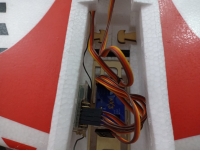
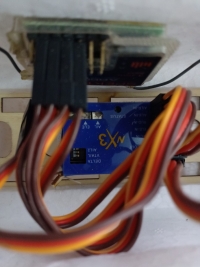
The board need to be firmly mounted near the center of the gravity of the plane by using the double-tape provide.Please make sure the longer side of the board is along with the heading direction.After mounting ,please check again if the board is attached firmly in the plane.
Step 2:Model Type SelectionThe DIP switches set the WING mode,Please match the type of your aircraft with Normal Airplane(single aileorn),Normal Airplane(dual aileron for flapperon), for Delta-wing (Flywing-wing)and V-tail according the pictures 1 to 4. if you change any DIP switch settings, power cycle the device to enable the new setting to take effect.Step 3:WiringPlease connect the control board and the radio receiver using wires provide according the pictures 1 to 4.Pay attention to the color of wires to avoid anti-plug.Step 4:Switch and Master Gain Channel ConfigureAssign a 3-pos switch to the channel which connected the pinsinchsIN-4inchs(AUX-IN) for switching the flight mode in flight.When use a 2-pos swtich,you can only switch between Rate Mode and Hold Mode,So you can not switch to Gyro Off Mode.It will be set to Rate Mode by default if switch channel is not connected to the board. If your transsmiter has Travl Adjust Function(End Point Adjust Function),you can change the switch channel's End Point to change Master Gain.

NX3 3D Контроллер полета Гироскоп Балансировка Для Самолетов С Фиксированным Крылом RC Самолет
Step 5:Gyro direction and Gyro Gain configureBefor flight, you have to verfy that the gyro compensation direction is OK, otherwise, it could lead to losing control or even crash during the flight!the VR gain POTs on the NX3 control the correction gain and direction for each of the pitch (ELE), roll (AIL) and yaw (RUD) axis.5 o"clock = max gain in one direction12 o"clock = zero gain7 o"clock = max gain in opposite direction
To perform the examination,power on the board,pick the plane up and check it by following the six steps below:
Step 6: re-learn center positionQuickly flip the flight mode switch twice between rate mode and hold mode within 1 second!Thanks for using NX3 Flight Controller. if u have any questions, plz feel free to contact clarencetuan.mat@gmail.com


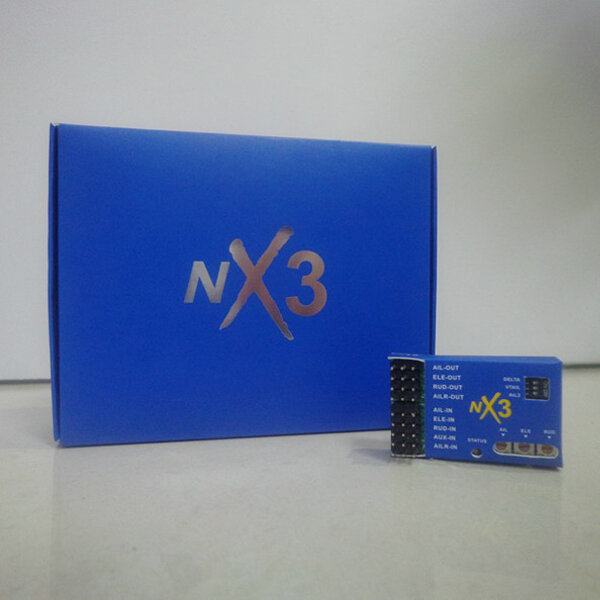
Packing Included:1 x NX3 Flight Controller board1 x NX3 manual 5 x wires1 x double-side tape.

NX3 3D Контроллер полета Гироскоп Балансировка Для Самолетов С Фиксированным Крылом RC Самолет

NX3 3D Контроллер полета Гироскоп Балансировка Для Самолетов С Фиксированным Крылом RC Самолет

NX3 3D Контроллер полета Гироскоп Балансировка Для Самолетов С Фиксированным Крылом RC Самолет

NX3 3D Контроллер полета Гироскоп Балансировка Для Самолетов С Фиксированным Крылом RC Самолет

NX3 3D Контроллер полета Гироскоп Балансировка Для Самолетов С Фиксированным Крылом RC Самолет

NX3 3D Контроллер полета Гироскоп Балансировка Для Самолетов С Фиксированным Крылом RC Самолет

NX3 3D Контроллер полета Гироскоп Балансировка Для Самолетов С Фиксированным Крылом RC Самолет

Customer Reviews

4.90 out of 5
See all 1495 reviews
Write a Review
  • All Reviews (1495)
  • Image ( 2 )
  • Video (0)
  • All Star
    • All Star(1495)
    • 5 Star (2)
    • 4 Star (0)
    • 3 Star (0)
    • 2 Star (0)
    • 1 Star (0)
Sort by:
Top Review
  • Top Review
  • Most Helpful
  • Most Recent
Reviews only from your country (United States)
|
Show Original

A part of the review has been auto-translated.

  • 21/10/2020

    So so happy.🥰..first I was worried coz I want to fit in my almost 20 year old Corsair but amazingly I don’t have to do nothing just plugged and it perfectly working how I want.. feeling great coz after 20 year my Corsair gonna touch the sky.. thanks 🙏🏼 to banggood.. love this sit..gonna be life time customer...

    Comments (3)
    Show Original
  • 25/03/2020

    Very Responsive ! easy to setup ! Great product.
    Used in F3A RC plane purchase also by banggood.
    The flight perfomance of the model aircraft is superb. It did not require any trims on the first flight either.
    Comments (0)
    Show Original
Show:
    12...30

    Total 0 pages

    Go to page

    Go
    Customer Q&As
    Can't find your answer? Ask a new questionorCustomer Service

    Tips:For questions about your order, place of delivery, product discount, taxation, delivery time, warranty, shipping, payment, exchange rate, and other questions unrelated to the product, please contact customer service.

    showing 1-30 of 56 |
    Show Original

    A part of the QA has been auto-translated.

    • 0
      Q: do i need a elavon mix in my radio or will this stabilizer do the mixing for me?
      A:
      no,you don't need that in your transmitter,that function is on the gyroscope, it's the one on the top activate it by pushing it with the small screwdriver to the right
      Answered by Geridone on 13/09/2020Helpful (0)
    • 0
      Q: is this only for fixed wing plane or can it be used with a plane that has elevator on the tail.
      A:
      itcan be used for fixed wing planes only and there are four options: T-Tail (one aileron channel, vertical stabiliser, elevator), T-Tail Ail2 (separate aileron channels, vertical stabiliser, elevator), Delta Wing (aileron and elevator mix) and V-Tail (elevator and rudder mix).
      Answered by BG181724341 on 19/09/2023Helpful (0)
    • 0
      Q: Hello, there is no arrow to indicate the direction in which the NX3 should be placed on the plane....
      A:
      The instructions state that the longest end of the board should face towards the ‘heading’ direction (front) so wiring or 3 pin plugs end face the rear. This is opposite of what the first answer has stated (*****) If still not sure, YouTube has explanation.
      Answered by BG535344534 on 15/01/2021Helpful (0)
    • 0
      Q: Does this have auto level
      A:
      fishmanpuffer, the modes under the listed features are: 2. Three Flight Modes supported:  a. Rate Mode, Rate Mode for offset correction. (This is the mode used to correct for wind and is called the NORMAL mode in some other stabs.)  b. Hold Mode, HOLD mode for attitude hold. (This mode is used to HOLD whatever attitude your plane is in when you let go of the sticks. It may be level or NOT.)  c. Gyro Off Mode, transmitter control the plane directly. (This is the MANUAL mode where there is no stabilization.) I recommend you always have the MANUAL mode easily selectable and start with it when you takeoff. Once you are high enough, select one of the stabilized modes. All should be well if your setup was correct but be ready to select MANUAL mode if they are not.
      Answered by Donald on 28/08/2018Helpful (0)
    • 0
      Q: do you really need both alerion servos in different places, or can you just have a y connector, and only put it on alerion out 1????
      A:
      Yes, you can have just a Y-connector cable and plug it to AIL Out
      Answered by texas2017 on 07/09/2020Helpful (0)
    • 0
      Q: Es compatible con FS-iA6 Receptor?
      A:
      Yes
      Answered by Karl on 18/08/2019Helpful (0)
    • 0
      Q: Can it be used on an aircraft with just motor, rudder and elevator (no ailerons)?
      A:
      Yes, I use stabilization on just rudder on a biplane that always ground looped trying to take off. It solved that problem nicely. If your plane is sensitive to elevator then stabilization also helps. So well worth the money. btw. on scale ww2 models i prefer to NOT to stabilise airelon as i didn't find it helpful.
      Answered by BG540121619 on 14/04/2023Helpful (0)
    • 0
      Q: Does this work with Spectrum radio system
      A:
      Works with any radio system (receiver) that outputs separate pwm signals for each servo.
      Answered by HazzahFPV on 09/12/2021Helpful (0)
    • 0
      Q: is there a way to be able to deactivate and reactivate from the tx?
      A:
      Bbh
      Answered by Ivanhoe7979 on 10/08/2024Helpful (0)
    • 0
      Q: do you need to assign a switch to make it work??
      A:
      To utilize all three modes you do need to assign to a switch.
      Answered by TC0MBS78 on 17/09/2020Helpful (0)
    • 0
      Q: Hi, will this system work with Glow / Gas engined planes or will the additional vibrations from the motor cause issues? thanks.
      A:
      I agree. Also find a spot that is away from excess vibration and use thick enough double sided tape.
      Answered by ridgeracer on 04/06/2020Helpful (0)
    • 0
      Q: e possível utilizar essa conta controladores de voo para uma asa reptil s800?
      A:
      English please
      Answered by BG104392410 on 26/03/2022Helpful (0)
    • 0
      Q: I got 3 of them, two does not work, are there people with same issues? One worked fine for some months, than, without a reason, it does not work anymore. The lights dont flash and there is no starting sequence (rudder wobbling to calibrate). The other does not work, but it was new from factory. The support was bad.
      A:
      I bought one of these also, first outing it lost control immediately and destroyed my plane. Threw it away and bought a 6XR which I should have done in the first place!
      Answered by Rob on 15/10/2021Helpful (0)
    • 0
      Q: does this device have gps?
      A:
      no
      Answered by bobpen1970 on 15/08/2021Helpful (0)
    • 0
      Q: Would this work with the ZOHD Drift PNP?
      A:
      yes
      Answered by mike on 29/01/2022Helpful (0)
    • 0
      Q: when I switch to hold mode it inverts one of my inputs for my delta wing. when the gyro is off, all controls work correctly. does anyone have a solution for this?
      A:
      Use potentiometer dials neutral position is straight up (12 o'clock). max gain one way is 5 o'clock (turn clockwise from 12 o'clock) max gain other way is 7 o'clock (turn anticlockwise from 12 o'clock. Hope this makes sense. Example if that axis is at 3 o'clock turn anticlockwise to 9 o'clock will reverse effect.
      Answered by BG502556513 on 02/08/2021Helpful (0)
    • 0
      Q: Hello, in the manual it says: 3. Two kinds of Gain Control Method supported: Master Gain from the radio, Independent Axis Gain from the Variable resistor on the Controller board. Does anyone know how the gain variation works from Radio? Thanks
      A:
      All the work is handed over to the gyroscope and MCU.
      Answered by Maskdar on 21/06/2021Helpful (0)
    • 0
      Q: led is not totally off when gyro off - seems do go dim - is this normal.Other than that seems okay
      A:
      When gyro is off led are off
      Answered by simole88 on 07/01/2023Helpful (0)
    • 0
      Q: what do i need to know/check to make sure it is compatible with my plane set up? The transmitter i am planning on buying is: Flysky i6X FS-i6X 2.4GHz 10CH battery is: 11.1V 2200mAh 3S 110/220C Lipo Power Plug: XT-60 plane is: ESKY Eagles 1100mm Wingspan all from bangood. is this set up correct (I'm a total beginner)
      A:
      it's the best you can buy, I have three of them,and I don't regret it. It's very user-friendly. Check YouTube, there is a lot about this item. surge for Andrew Newton.
      Answered by Geridone on 06/08/2020Helpful (0)
    • 0
      Q: why do my esc get so hot when i connect this nx3 but not too hot when directly connected to receiver. i have not even connected the motor yet. just servos. pls comment.
      A:
      Ok
      Answered by HaJö on 19/04/2022Helpful (0)
    • 0
      Q: What is the different between NX3 and NX3 pro?
      A:
      OB
      Answered by Ivanhoe7979 on 08/05/2024Helpful (0)
    • 0
      Q: The manual says 5 - 6 volts but if I use a 5 cell Ni-MH battery it will supply 6.5 volts. Is that OK?
      A:
      the nx3 gets its power from the receiver. you do not power it directly. your flight pack will be fine.
      Answered by Fuzzy_Bear75 on 27/01/2023Helpful (0)
    • 0
      Q: I am using a radio master tx16s and I want to use it on a fixed wing 4ch trainer ( wot 4 ) trainer . can someone please explain in simple steps how to install this and also calibrate and do I need to set up 3 stage switch on my transmitter ? where do I place it on the aircraft and which direction as well please ? thank you
      A:
      I am using one on my fms cub . It helps at take off and prevents groundlooping. Connect your Servo is to the out positions on the giro in my case the rudder. Then connect the leads which came with the giro from the in positions to your receiver that is rudder to rudder, ailerons to aileron, elevator to elevator . Use one free out position to connect to to your servo. In my case there was a second open aileron which I connected to channel 7 on my receiver which was a on and off switch on my radio. With this I can switch the giro on or off. The giro must lie parallel with the fuzz of the plane and nearby your receiver. Paul
      Answered by Paul on 12/04/2022Helpful (0)
    • 0
      Q: I want one or even two ! Please, when available in ES or CZ warehouses ?
      A:
      Endndn
      Answered by Ivanhoe7979 on 08/05/2024Helpful (0)
    • 0
      Q: est-il compatible avec la télécommande fly sky i6x ????
      A:
      Thisconnects between your reciever and the servos so it doesn't matter what transmitter and reciever you have.
      Answered by Ernie on 13/05/2021Helpful (0)
    • 0
      Q: Can that NX3 safely work with a LIFE 6.6V battery
      A:
      The NX3 does not have a power input - it gets all its power from your receiver as basically it just sits between the receiver and the servos that your receiver was connected to directly before you insert the NX3, no power is supplied directly to the NX3, it all comes from the receiver. Hope this makes sense and helps.
      Answered by BG502556513 on 02/08/2021Helpful (0)
    • 0
      Q: can I use it on an nitro powered plane
      A:
      you could in theory. you would need a lot of vibration dampers which will then also make the device less sensitive. personally though I would not use it on a combustion powered plane because the excess vibration will cause problems.
      Answered by Fuzzy_Bear75 on 27/01/2023Helpful (0)
    • 0
      Q: I have 7,4v battery to 2S 10A ESC and 2S receiver. Can I use this flight controller?
      A:
      Yeah, it works anyway.
      Answered by Juanjuan on 26/07/2020Helpful (0)
    • 0
      Q: will it work with my AT10ii?
      A:
      itwil run with any pwm rx it ... rx>NX3>servos
      Answered by JAMES420UKNOW on 25/02/2022Helpful (0)
    • 0
      Q: essa controladora pode estala em qualquer radio e receptor??
      A:
      Vbjj
      Answered by Ivanhoe7979 on 07/06/2024Helpful (0)

    Моя корзина Корзина (13125)
    Мое избранное Мое избранное (0)

    Roymall Service